 Brick & Mortar
Devlog · Post 25 of 27
Vibe coding Unreal Engine 5 in C++ without a team
vibe-codingunrealclaudetestingprocess
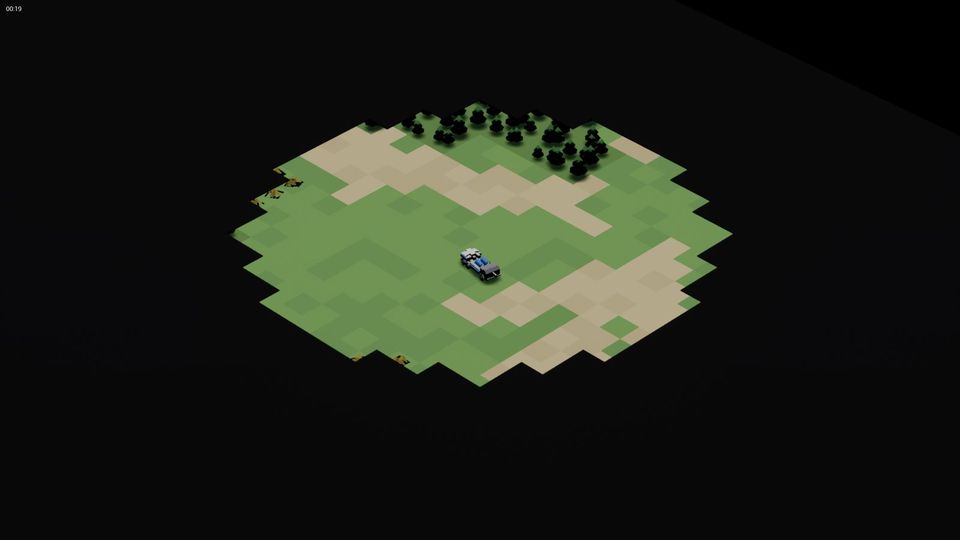
Unreal Engine is not friendly to a casual approach. A build takes minutes, the editor eats memory, and C++ punishes a wrong guess. It is still a good fit for working with Claude, provided the loop around the code is tight and scripted. The code itself is the easy part. This is the loop we use for about 120,000 lines of C++, and where it hurts.
Four scripts are the whole interface
The agent never clicks in the editor. It runs scripts at the repository root:
| Script | What it does |
|---|---|
build.ps1 | compiles the game (and imports meshes when asked) |
test.ps1 | runs the automation tests with no window and prints PASS or FAIL per test; exit code 1 on any failure |
run.ps1 | launches the game with flags, for play and for capture |
package.ps1 | cooks and packages a build, with the release audit |
The test runner is a good example of the pattern. It starts the engine's command-line editor with no rendering, no sound and no prompts, runs a filter such as one group of tests, waits up to 900 seconds, and parses the log for Test Completed lines. A job like that is trivial for Claude to run and read, and it cannot be argued with. Today's suite is 71 tests, all passing.
Launch flags are a test language
Most of what we check, we check by launching the game with flags and reading what it logs:
run.ps1 -AutoStart -Map ProvingGround -AutoQuit 120 -Screenshot "20,40" -Extra "-Mute -BigBattle=ground_war"Start a match by itself, quit after 120 seconds, take screenshots at 20 and 40 seconds, no sound, use the Big Battle preset. The same idea gives us fast-forward runs for determinism (compare a normal-speed run with a 64x one), a -DetLog flag that writes a hash of the whole simulation every tick, a test mode that plays a mission's win route and its lose route, and the capture mode that steps exactly 1/60 s per frame for the trailer. Everything the game can do, it can do from a command line. That is what lets an agent work while you sleep.
The rules that came from pain
- One editor process at a time. Two editors and a render on one PC means out of memory. During a packaging run the editor climbed from 4.8 to 16.6 GB in ten seconds and our memory watch killed it. The third attempt, on an idle machine, took 23 minutes and passed.
- Batch, then one pass. Do not compile and test after every small edit. Make the changes, then one build, one test run.
- Edit, never rewrite. Claude changes a file with an edit to the exact lines. A full rewrite re-sends the whole file and can silently drop part of it.
- Never read a whole source file. Search for the symbol, read about sixty lines around it. A C++ file is thousands of lines; the task needs forty.
- Keep line endings. Most of our source is CRLF, some is LF. A tool that rewrites a file with the other ending shows every line as changed. See the next post for what that cost us.
- A lint for the dangerous rules.
scripts/detlint.pygreps the simulation code for clock reads, unseeded random numbers and anything that touches the picture. The rule "the sim reads only sim state" is easy to say and easy to break, so a machine checks it on every build.
What breaks
- Stale bases. On 10 October a missile-trail commit was built on an old version of two files and quietly removed some test hooks. A later commit, "Restore the Big Stick test hooks", put them back. The compile did not notice, because nothing used the hooks until a test did.
- Code that compiles and is wrong. The compiler checks syntax. It does not check that a shell starts from the barrel the player sees. For that you need a test or a log.
- Memory. Shader and asset compilation can use all the RAM you have. We gave a role the job of watching the cost of working, not only the frame rate.
- Confident explanations. Claude will explain a crash in a fluent paragraph that is wrong. Ask for the log line, and ask it to reproduce the crash with a flag before fixing.
Try it yourself
If you use Unreal with an agent, do three things first: make a script that builds, a script that runs a headless test group and prints PASS or FAIL, and a launch flag that starts the game, does something and quits. Until those three exist, you are the one clicking.
Those habits are also the ten rules in the main post of this series, applied to one engine.
Next: What vibe coding gets wrong, and how we caught it (28 October 2026)
Start from day oneAll 27 posts
Related posts

What vibe coding gets wrong, and how we caught it
The honest failure list from five weeks of directing Claude - invented "done", an 8,280-line line-ending commit, overwritten files, stale notes and determinism bugs - and the check that caught each.
Vibe coding Blender
Every unit in the game is a Python script that places LEGO parts in Blender. How we drive it with Claude, how a model is checked against a reference, and what failed.
How to vibe code a real game with Claude
One person, Claude and 2,240 commits in five weeks. The ten habits that kept a vibe-coded game from falling apart, with the numbers and the scars behind each one.
Written afterwards from our project notes and commit history; dated to when the work happened.