 Brick & Mortar
How It's Made · Step 5 of 27
The model review loop - reference boards, a camera solver and a rig audit
blenderlegoqatooling

By 22 September the game had 113 models. Each one is a Python script that places bricks, and each one needs two kinds of checking: does it look right, and does it work in the game? We built a tool for each.
Does it look right: the reference board
The owner's request on the 21st was very specific: a tool that takes a reference image, works out which pieces are in it, matches them against the LEGO parts database, and lets common sense fill in the back. We built that as scripts/refmatch.py, with three modes, all run headless inside Blender:
- parts renders a contact sheet of every LDraw part whose name matches some words, with its part number. If the reference has a curved slope, Claude can find the right piece by eye instead of guessing a number from memory.
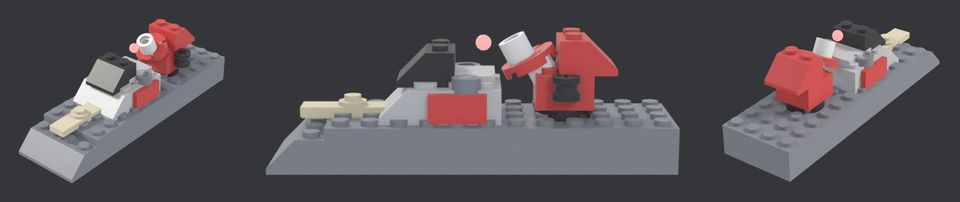
- views renders three hero views of a model (front-left, side, rear-right) in a neutral review light, so a build is judged on its bricks and not on a flat workbench.
- match renders our model from the same viewpoint as the reference photo and lays the two side by side and then overlapped at 50 per cent.
The third mode has a small solver. It tries camera azimuths and elevations, compares the silhouette of our render against the silhouette of the photo (intersection over union on masks), and keeps the best. What does not line up afterwards is what is still wrong in the build: the piece, its place, or its size.
blender -b -P scripts/refmatch.py -- views Id --out Docs/review/Id_views.jpg
blender -b -P scripts/refmatch.py -- match Id path/to/reference.png --solve
The reading stays human. Claude looks at the crops and the sheet, writes down what it sees, and fixes the script. The owner only sees a board when it passes Claude's own look. This is the most useful trade in the whole pipeline: the AI does the tedious comparing, the human does the deciding.
Does it work: the rig audit
A model is not only a shape. The game needs to know where the turret turns, where the muzzle is, how far the treads extend and what the selection ring should be. That data lives in rigs.json, next to the FBX files, and it is written by the same script that builds the model, so it can silently disagree with the mesh.
On the 22nd we wrote scripts/rig_audit.py. It reads rigs.json, then parses the binary FBX files itself (vertices, material slots, polygons per slot - no editor needed) and checks, per model:
- the turret pivot against the hull's roof;
- the muzzle against the union of all exported parts;
- the bounds and the ring radius;
- every animated part against its own animation file;
- tread and wheel data on tracked and wheeled models;
- orphans in both directions.
It ran over all 113 models in one pass. The result: 12 tread problems, 2 wheel problems, 4 turret problems, 2 muzzle problems - and zero bounds, animation or orphan problems. Twenty flags, each with the measured numbers, went back to the modeller as one handoff. Without the audit, most of those would have been found one at a time by a person watching a tank fire from the wrong place.
What it cost
Not much code. rig_audit.py is about 355 lines of Python today and refmatch.py about 440, and neither needs the Unreal editor, so either can run while the machine is busy with something else. What they cost is attention: an overlay still has to be looked at by something that can see.
What we would do differently
- Write the audit with the first model, not the hundredth. It found problems that had been in the game for days.
- Keep one source of truth per model. Where the mesh and the rig data come from different places, they will drift.
- Review boards need a fixed light and a fixed camera. Comparing two models under two lights tells you nothing.
Try it yourself
If an AI generates something that has to match a reference, give it a tool that produces a comparison picture and a number, and ask it to show you the overlay. You will review a tenth of what you otherwise would.
Next: Two PCs, one simulation - lockstep, determinism and a 64-bit fingerprint (25 September 2026)
Related steps
Scripting LEGO in Blender, part one
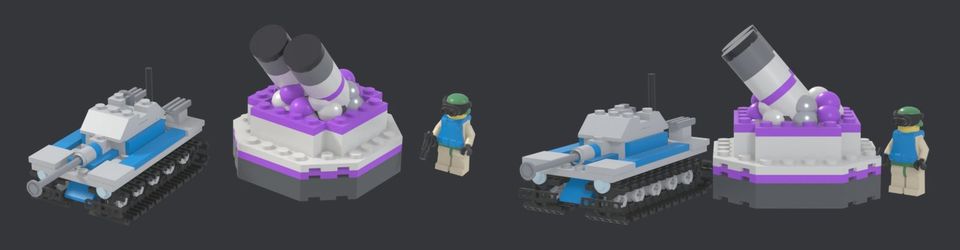
How a Python script turns the open LDraw parts library into game-ready models, and the bugs it produced on day two.
The brand kit and this website
How the logo suite, the colours and this website were made - a human-approved logo as the source, a brand kit drawn by scripts, and a static site that rebuilds in seconds.
Vibe coding Blender
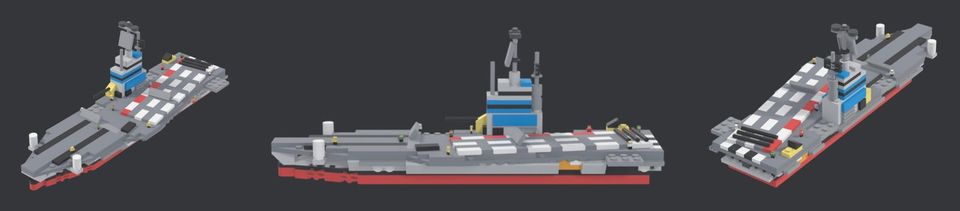
Every unit in the game is a Python script that places LEGO parts in Blender. How we drive it with Claude, how a model is checked against a reference, and what failed.
Written afterwards from our project notes and commit history; dated to when the work happened.